
A GUIDED PRODUCT TOUR
Follow the treasury picture from records to decisions.
Explore how five treasury modules connect in a working review. Each step links to a deeper explanation of the relevant capability.
INSIDE THE WORKSPACE
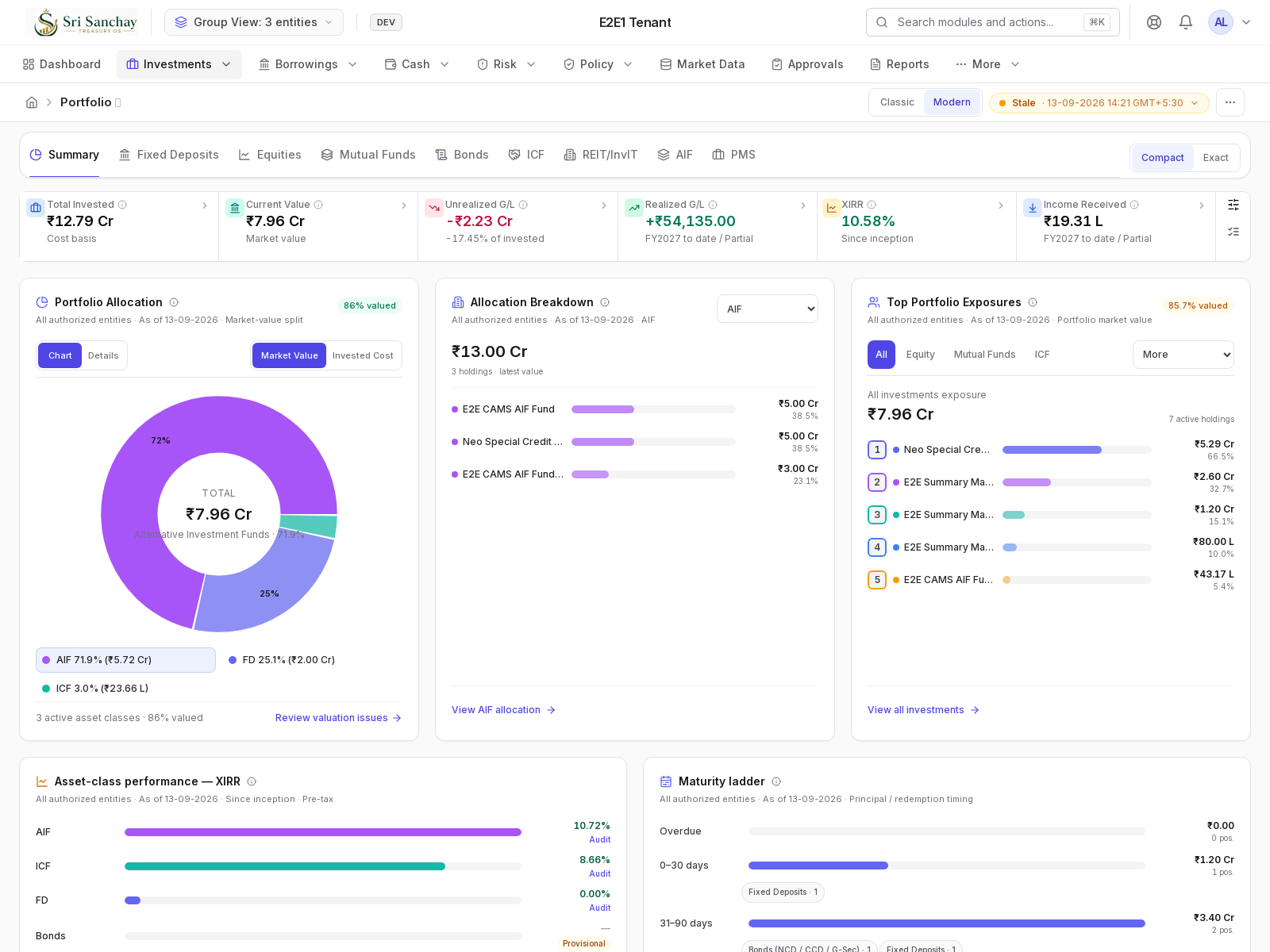
The investment picture, across the Alpha group.
Explore portfolio KPIs, asset allocation, exposures, XIRR and upcoming maturities in one consolidated Investments view.
A treasury review in five steps
Set the entity and review period
Start with a selected entity or an authorized Global View. Review the dashboard’s scope, dates and available freshness or completeness indicators before interpreting the summary.
Explore dashboards and entity viewsUnderstand your investments
Review holdings, cashflows, maturities and valuations for the supported asset classes. Use performance measures where sufficient data is available, and inspect the underlying investment records when a figure needs context.
Explore investmentsBring cash and funding commitments together
Review cash positions and movements, then inspect borrowing repayments, interest and upcoming commitments. Use these records to understand the timing of treasury inflows and outflows.
Explore cash and liquidityExplore borrowingsReview risk and policy exceptions
Examine exposure, concentration and relevant risk indicators. Review configured policy limits, compliance results and exceptions alongside the source records that explain them.
Explore riskExplore policyComplete the review with a record of the work
Use approvals for governed actions, with supported administrator exceptions recorded. Review treasury reports alongside source records, approval histories and the available audit trail.
Explore governance and accountability
Make the walkthrough relevant to your team
A useful demo starts with your entities, investment mix and treasury questions. Tell us whether the priority is investment reporting, cash visibility, funding commitments, review controls or supported statement imports.
This guided overview describes the workflows. A demo provides the opportunity to see the relevant product screens and discuss their fit with your process.
See supported statement and ledger importsLET’S TALK TREASURY
Walk through your treasury priorities.
Arrange a demo focused on the records, responsibilities and decisions your team manages.